

A first clear unlocks Extras with art, minigames, stats, music, trophies, credits, bosses, and characters; Ctrl+F12 opens a hidden command panel, which should only be tested on a completed backup save.
Extras menu
After the first completed ending, Extras provides:
- concept art;
- replayable unlocked minigames;
- run and journey statistics;
- the music library;
- trophies;
- credits replay;
- boss rematches;
- the character gallery with models, descriptions, and developer notes.
The gallery is also part of several trophy checks. Unlocking all 47 animatronics is not the same as completing every gallery entry; endings, difficulties, jumpscares, and bosses contribute additional characters.
Hidden Ctrl+F12 panel
Press Ctrl+F12 to open a developer-style command prompt. Its commands can jump to dialogue, salvage areas, and Extras states without normal progression.
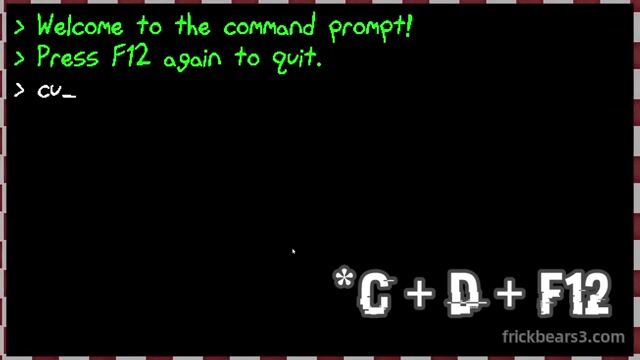 The panel itself warns that F12 closes it again.
Back up the save first. A warp can mark content early or place the save in a state that no longer matches the normal route. Use a completed save for dialogue testing and keep the main progression copy untouched.
Series context
The first two games were Scratch projects. The first used mostly black-and-white visuals; the second introduced red accents. Frickbears 3 moved to GameMaker Studio with full-color environments, redesigned characters, animated cutscenes, detailed backgrounds, and combined 2D/3D presentation.
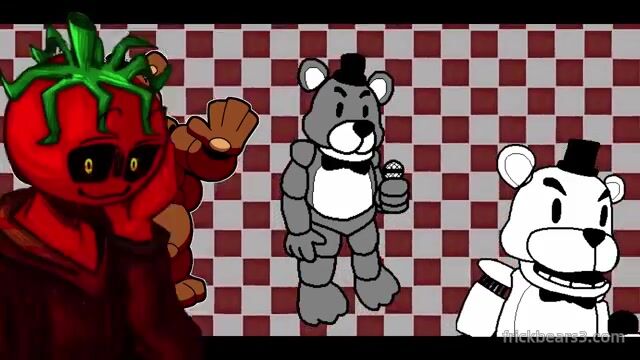 The third game's production shift is visible even in a direct character comparison.
The third game's story stands alone, so playing the Scratch entries is optional rather than a prerequisite for the endings covered here.
Keep going